Introduction
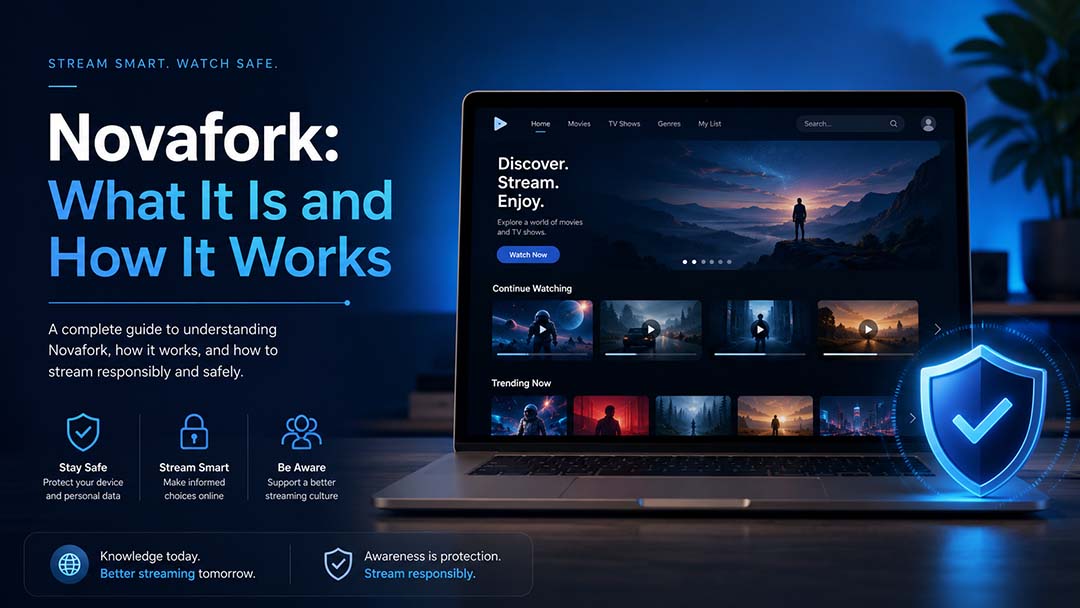
Online entertainment has changed the way people watch movies, shows, and digital content, and Novafork has become one of the names people search for when they want to understand free browser-based streaming tools. While the idea of quick access sounds simple, users should know how such platforms usually work, what risks may be involved, and why safe viewing habits matter before using any unfamiliar entertainment website.
What Is Novafork?
Novafork is commonly discussed as a fork or version of a streaming project connected with “Nova,” a free streaming-style web platform. A public GitHub repository for the project describes Nova as a streaming platform created to help users browse and watch movies, with an interface built around movie discovery and online viewing. The same repository also describes it as an actively maintained fork of the original Nova project.
In simple words, a “fork” means a copied or modified version of an existing software project. Developers may create forks to improve features, fix issues, change design, or keep a project alive when the original version slows down. This is common in open-source software, but when streaming tools are involved, users need to think about safety, copyright, and source reliability.
It is important to understand that this type of platform is not the same as licensed streaming services like Netflix, Disney+, Hulu, Prime Video, or other official entertainment apps. Legal streaming services usually have clear licensing agreements, customer support, privacy policies, app store listings, payment terms, and content ownership details. Smaller free streaming projects may not always provide the same level of clarity.
How Novafork Works
Novafork appears to work like a browser-based entertainment interface where users can search, browse, and select movies or shows through an online layout. The public project page mentions integrations with The Movie Database API for movie details and a video source API for streaming access.
This means the platform may not create all entertainment data itself. Instead, it can pull titles, summaries, ratings, posters, and other details from external databases, while video playback may depend on third-party sources. For everyday users, this can look like a simple “search and watch” experience. Behind the scenes, though, several outside services may be involved.
Basic User Flow
A typical free streaming-style website may work in this general way:
- The user opens the website in a browser.
- The homepage shows movie or show categories.
- The user searches for a title.
- The site displays posters, summaries, or rating details.
- The user clicks a title to open a viewing page.
- A third-party player or source may load the video.
This may sound convenient, but convenience should not be the only factor. When a platform depends on third-party streams, users may face pop-ups, broken links, redirects, poor-quality video sources, or privacy risks.
Why It Gets Attention
People usually search for this kind of platform because they want fast access to entertainment without creating multiple accounts or paying for several subscriptions. Streaming fatigue is real. Many viewers feel tired of switching between different apps, monthly plans, and region limits.
That demand has helped many free streaming sites gain attention. But the same demand also creates a space where unsafe websites, fake mirrors, copycat domains, and misleading ads can appear. That is why users should treat every unfamiliar streaming site with caution.
Key Features People Usually Look For
Free streaming-style platforms attract visitors because they often promise a simple viewing experience. While features can change from one version or mirror to another, users usually look for:
- A clean movie browsing layout
- Search options for films and TV shows
- Genre or category filters
- Poster images and title summaries
- Fast playback options
- No required sign-up
- Mobile browser access
- Dark-mode style interface
- Free access to entertainment content
These features explain why such sites become popular. Still, a good-looking interface does not automatically mean a website is safe, legal, or reliable. Users should look beyond the design and think about where the content comes from, how the website earns money, and whether it protects visitor privacy.
Safety Concerns Users Should Know
The biggest concern with free or unfamiliar streaming websites is not only content quality. It is safety. The FBI has warned that free sports, TV shows, movies, software, and torrented content can contain malware, and it advises users not to click pop-up ads from untrusted websites because they can lead to malware installation.
Google also explains that Safe Browsing helps protect billions of devices by warning users before they visit dangerous websites or download harmful files. Google says unsafe sites may involve malware, phishing, unwanted software, intrusive ads, or social engineering.
Common Risks on Free Streaming Sites
Users should be careful about:
- Fake play buttons
- Forced redirects
- Pop-up ads
- Browser notification requests
- Fake virus warnings
- “Download player” prompts
- Suspicious browser extensions
- VPN or app installation requests
- Pages asking for card details for “verification”
- Copycat domains that look similar to real websites
A research paper on illegal live streaming services found that such services can expose users to deceptive ads, malicious browser extensions, scams, and heavy tracking. The study also found that illegal streaming services often used stronger tracking methods than legitimate services.
This does not mean every free entertainment website is automatically harmful. It does mean users should avoid blind trust. If a website pushes strange downloads, opens several tabs, asks for unnecessary permissions, or hides its ownership, that is a warning sign.
Legal and Copyright Questions
Entertainment content is usually protected by copyright. Official streaming platforms pay for licensing rights, which allows them to legally show movies, TV shows, sports, documentaries, and other media. When a free site provides access to copyrighted content without clear licensing, users may face legal and ethical concerns.
The safest approach is simple: watch content through legal services, official broadcaster websites, public-domain libraries, or platforms that clearly own or license what they show. If a site does not clearly explain its content rights, users should be cautious.
For website owners and bloggers, this point is especially important. Promoting access to unlicensed content can create trust issues and possible legal risk. A better article angle is to explain what the platform is, how it works, what risks users should understand, and what safer alternatives exist.
Why Some Users Still Search for It
Even with safety and legal concerns, many users continue searching for platforms like this because the online entertainment market can feel messy. People may not know which service has the movie they want. Some titles move between platforms. Some content is blocked by region. Some viewers cannot afford several paid subscriptions.
These are real user frustrations. But risky streaming sources are not always the best answer. A safer viewing habit is to search legal availability first. Many users can check official platforms, rental stores, library-linked streaming apps, ad-supported legal services, or free public-domain film sites.
Better Ways to Find Entertainment
Before using any unknown streaming website, try:
- Searching the title on official streaming apps
- Checking legal ad-supported platforms
- Looking for rental options on trusted stores
- Using public library streaming services where available
- Checking whether the movie is in the public domain
- Using official broadcaster apps for TV content
- Reading reviews before visiting unfamiliar sites
- Checking browser warnings before opening any website
This approach may take a little more time, but it can reduce the risk of scams, malware, and privacy problems.
How to Check a Streaming Website Before Using It
Users can make better decisions by checking a few basic signs before trusting any entertainment website.
1. Look for Clear Ownership
A reliable website usually has an About page, contact details, privacy policy, terms of use, and company information. If none of this exists, be careful.
2. Avoid Downloads
A streaming site should not force you to download a strange player, browser extension, APK file, or security tool. If a page says you must install something to watch, that is a strong warning sign.
3. Watch for Browser Warnings
If Chrome, Google Safe Browsing, antivirus software, or your device shows a warning, do not ignore it. Google Chrome Help says users may see warnings for phishing, malware, unwanted software, and social engineering sites, and recommends not visiting when a dangerous-site warning appears.
4. Do Not Share Sensitive Data
Avoid entering your credit card, ID, phone number, email password, or personal details on unknown streaming pages. Some fake websites ask for “free verification” and later use that information for scams.
5. Check the Content Source
If the site does not explain where its videos come from or whether it has permission to show them, assume there may be copyright concerns.
Pros and Cons
Like many free streaming-style tools, this platform gets attention because it seems simple and accessible. Still, users should weigh both sides.
Possible Pros
- Easy browser access
- Simple search experience
- No complex setup for users
- Familiar streaming-style layout
- Fast content discovery
- Useful topic for tech and entertainment discussions
Possible Cons
- Unclear content licensing
- Possible pop-ups and redirects
- Privacy and tracking concerns
- Risk of malware from fake mirrors
- Broken links or unstable access
- No clear customer support
- No guarantee of safe playback
- Legal uncertainty around copyrighted content
The cons matter more than many users think. Free access can come at a cost, even when no money is paid directly. That cost may be privacy, device safety, personal data, or exposure to misleading ads.
Is It Safe for Entertainment Browsing?
There is no single answer because safety can depend on the exact domain, version, mirror, browser, device, and user behavior. A project page may describe a clean streaming interface, but copycat websites, cloned pages, or third-party video sources can change the risk level.
A careful user should not treat any unknown free streaming site as fully safe. The better mindset is caution. Use trusted browsers, keep device security updated, avoid downloads, do not click pop-ups, and do not enter sensitive information. More importantly, choose legal platforms whenever possible.
Who Should Read About This Platform?
This topic is useful for:
- Entertainment bloggers
- Online safety writers
- Streaming users
- Parents managing children’s internet use
- Students researching digital media
- Website owners writing streaming guides
- Readers comparing legal and free viewing options
For a guest post, the best angle is not to promote risky viewing. The better angle is education. Readers should leave the article understanding what the platform is, how it may work, and what risks to check before visiting unfamiliar entertainment sites.
FAQs
1. What is Novafork used for?
It is generally discussed as a free streaming-style web project where users can browse and watch entertainment content through a browser-based interface. Users should still check safety and legality before trusting any related website.
2. Is it a legal streaming service?
There is no clear public proof that it works like a licensed streaming service. If a platform does not clearly show content rights or licensing, users should use caution and prefer legal viewing options.
3. Can free streaming websites be risky?
Yes. Free and untrusted streaming websites may expose users to pop-ups, redirects, phishing pages, harmful downloads, suspicious extensions, or heavy tracking.
4. What should users avoid on unknown streaming sites?
Avoid downloading players, installing browser extensions, allowing push notifications, entering card details, clicking fake play buttons, or ignoring browser security warnings.
5. What is a safer way to watch movies online?
The safest option is to use licensed streaming services, official broadcaster apps, legal rentals, public-domain libraries, or trusted ad-supported platforms.
Conclusion
Novafork is best understood as a free streaming-style project that has gained search interest because users want quick and simple access to online entertainment, but convenience should not replace caution. Before using any unfamiliar streaming website, viewers should think about safety, privacy, pop-ups, downloads, copyright issues, and whether the platform clearly explains its content sources. A smart user-first approach is to understand how these platforms work, avoid risky behavior, and choose trusted legal options whenever possible.
Read Also: Novafork Review: Free Movies, TV and Anime Streaming