Introduction
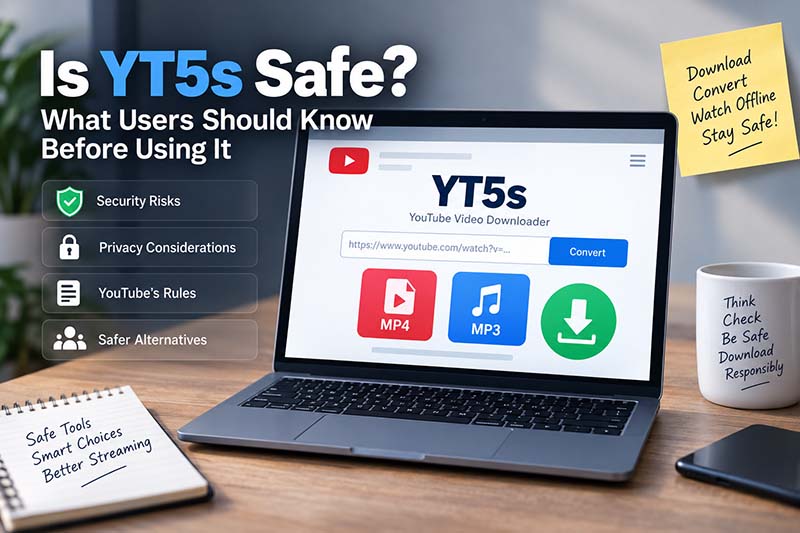
Online video converters appeal to people who want a quick way to save audio or video without installing dedicated software. YT5s is one of the web-based tools that presents itself as a YouTube downloader and converter, offering MP3 and MP4 options directly through a browser. Convenience, however, is only one part of the decision. Before using any third-party downloading service, users should also consider website security, advertisements and redirects, file safety, privacy, copyright restrictions, and the rules of the platform from which content is being downloaded.
A website being easy to access does not automatically make every interaction with it risk-free. Likewise, a site’s own statement that its service is safe should not be confused with an independent security assessment. Understanding these distinctions helps users make more informed decisions before pasting links into an online converter or downloading files to a device.
What Is YT5s and What Does It Do?
The service describes itself as an online YouTube video downloader and converter that works through a standard web browser. According to its website, users can paste a YouTube URL and convert content into formats such as MP3 for audio or MP4 for video. The site also states that users do not need to register an account or install software to use its basic conversion features.
That browser-based approach explains much of the appeal. Instead of downloading a desktop application, creating an account, or learning a complicated program, a user can theoretically perform the conversion through a webpage.
However, it is important to separate two questions:
- Does the service provide the function it advertises?
- Is every page, advertisement, redirect, download, and third-party interaction associated with that experience safe?
The second question is more complicated because online converter sites may change over time. Advertising partners, domains, download mechanisms, redirects, and browser behavior can also change. A positive experience on one visit therefore does not guarantee that every future interaction will carry exactly the same risk profile.
Is YT5s Safe to Use?
There is no responsible basis for giving a blanket guarantee that any third-party online converter is completely safe.
The site’s own pages describe the service as secure and emphasize that no account or software installation is required. Those statements may describe how the operator intends the service to work, but they are promotional claims rather than an independent security certification.
For users, a more useful approach is to evaluate several separate areas of risk.
1. Unexpected Pop-Ups and Redirects
Unexpected browser behavior deserves attention on any unfamiliar download website. Google identifies persistent pop-ups, unwanted new tabs, browser redirects, fake infection warnings, and changes to browser settings as signs that may be associated with unwanted software or malicious activity.
That does not mean every advertisement or new tab is malicious. It does mean users should avoid interacting with pages that suddenly claim a computer is infected, demand installation of an extension, or instruct the visitor to download unrelated software.
A video conversion process should not require installing a random browser extension, security utility, media player, or executable program unless the user has deliberately chosen and verified that software separately.
2. Downloaded File Safety
The file itself matters as much as the webpage.
If a user expects an audio or video file but instead receives an executable program, archive, installer, or unfamiliar file type, that should be treated cautiously. Chrome’s official guidance says its download protection may warn about files associated with malware, deceptive software, suspicious archives, insecure connections, or unfamiliar downloads. Google recommends taking these warnings seriously rather than disabling protection to force a download.
For ordinary media conversion, the downloaded file should match the format the user intentionally selected. An unexpected “.exe,” password-protected archive, or unrelated application is a reason to stop rather than continue.
3. Personal Information and Login Requests
A simple URL conversion service generally should not need sensitive information such as banking details, email passwords, social-media credentials, or identity documents.
Users should be especially suspicious if an unfamiliar page reached through a redirect asks them to sign into Google, YouTube, or another account. A third-party converter does not need a user’s Google password merely to process a publicly accessible video URL.
The safest approach is to avoid entering credentials into pages reached through advertisements or redirects and to sign into major services only through their official websites or applications.
YT5s and YouTube’s Downloading Rules
Security is not the only consideration. Users also need to think about platform rules and content rights.
YouTube’s Terms of Service restrict downloading or otherwise using content except when the service itself specifically permits it, when the user has appropriate permission, or when applicable law allows the activity. The terms also prohibit interfering with features designed to restrict copying or use of content.
Readers who regularly save videos should review the YouTube Terms of Service before relying on a third-party downloader.
Copyright is a related but separate issue. A video being publicly viewable does not automatically mean anyone is free to make, distribute, republish, or commercially use copies of it.
The practical question is therefore not simply, “Can this video be downloaded?” It is also, “Do I have permission or another legitimate basis to save and use this content?”
Official Ways to Watch YouTube Content Offline
For users whose main goal is offline viewing, YouTube provides its own download options in supported circumstances.
YouTube says Premium members can download eligible videos for offline playback on supported mobile devices and, in certain browsers, on computers. These downloads remain tied to the YouTube service rather than becoming ordinary unrestricted media files.
The platform also allows creators to download videos they have uploaded themselves. YouTube’s official help documentation states that creators can download copies of their own uploads through YouTube Studio, subject to certain conditions.
For users who simply need to watch something without an internet connection, official offline features generally reduce uncertainty about third-party advertising, redirects, and platform-policy compliance.
Practical Safety Checks Before Using YT5s
Anyone choosing to use an online converter should adopt basic browser-security habits rather than assuming that a familiar-looking webpage is automatically trustworthy.
A sensible checklist includes:
- Confirm the web address before interacting with the page, especially because similarly named domains can exist.
- Keep browser security protections such as Safe Browsing enabled.
- Do not install unrelated programs or extensions just to obtain a media file.
- Avoid notifications claiming your device is infected unless the warning comes from trusted security software.
- Check that the downloaded file type matches what you requested.
- Never disable antivirus or browser protection because a webpage instructs you to do so.
- Avoid entering passwords, payment details, or unnecessary personal information.
- Do not grant browser notification permissions unless there is a clear reason.
- Use content only when you have the appropriate permission or rights.
Google’s Safe Browsing system is designed to warn Chrome users about known phishing pages, malicious sites, unwanted software, and dangerous downloads. Google specifically advises users not to continue to sites that produce a “Dangerous site” warning unless they clearly understand the risk.
Does HTTPS Mean a Converter Is Completely Safe?
No. HTTPS is important, but it has a limited purpose.
An HTTPS connection encrypts information transmitted between a browser and the website and helps verify the domain involved in the connection. It does not independently prove that every advertisement, download, redirect, or business practice on that website is trustworthy.
A site can use HTTPS and still present misleading advertisements or link visitors to questionable third-party pages. Users should therefore consider HTTPS one security indicator rather than a complete safety verdict.
The same principle applies to professional-looking layouts, security icons, testimonials, and claims such as “100% safe.” Visual appearance is not a substitute for browser warnings, careful file inspection, sensible permissions, and independent verification.
Privacy Considerations With Online Converters
Privacy is another factor that is easy to overlook.
When a user visits any website, the site and its supporting infrastructure can potentially receive routine technical information such as an IP address, browser details, device information, and request data. Advertising or analytics services may also be involved depending on how a particular site is configured.
Users who care about privacy should read the service’s current privacy policy and consider what information they are comfortable sharing.
A converter that works without requiring an account can reduce the amount of information a visitor must deliberately provide, but “no registration” does not mean “no data processing.” Those are different concepts.
Also Read: 123Chill Guide
When Should You Avoid an Online Video Converter?
It is better to leave a site immediately when its behavior differs significantly from the simple task you intended to perform.
Warning signs include repeated redirects, fake virus alerts, unexplained browser permission requests, forced extension installations, suspicious executable downloads, requests for passwords, or instructions to disable security features.
You should also reconsider downloading when you do not have permission to save or reuse the underlying content.
For creators downloading their own uploads or viewers who simply need offline access, official YouTube features may provide a clearer and more predictable option.
FAQs
Does YT5s require software installation?
The service currently presents itself as browser-based and says that users can perform conversions without installing separate software. If a page unexpectedly insists that you install another application or extension, verify carefully before proceeding.
Can I download any YouTube video I find online?
Not necessarily. YouTube’s terms restrict downloading unless it is specifically permitted by the service, authorized by the appropriate rights holders, or otherwise permitted by applicable law. Content rights and local laws may also affect what you can legally copy or reuse.
Is an MP3 or MP4 file automatically safe?
No file type is an absolute guarantee of safety. Confirm that the downloaded file has the format you expected, keep operating-system and browser protection enabled, and take security warnings seriously.
What should I do if a converter opens a suspicious pop-up?
Avoid clicking the pop-up, especially if it displays a virus warning or asks you to install software. Close the page if necessary and use your browser’s built-in security features. Google specifically warns users about deceptive pop-ups and unwanted redirects.
What is the safest option for offline YouTube viewing?
When available, YouTube’s official offline features provide the most direct platform-supported route. Premium users can download eligible videos for offline viewing, while creators can download copies of videos they uploaded themselves.
Conclusion
YT5s offers the convenience people expect from a browser-based video conversion service, but convenience alone is not enough to establish that every visit or download is risk-free. Users should pay attention to browser warnings, unexpected redirects, file types, privacy requests, platform rules, and copyright permissions, while considering official YouTube offline features when they meet the same need. A cautious approach is more useful than relying on any website’s self-declared safety claim.